
# Company account
After creating your user account, here’s how to create a company account.
# Create a company account in DocCheck Access
If you have already created a DocCheck user account as described in User account, register your company next in DocCheck Access: https://access.doccheck.com/app (opens new window).
Log in with your DocCheck user account credentials on the DocCheck Access (opens new window) start page.
On the welcome page, click the button "Let's start by creating your company”.
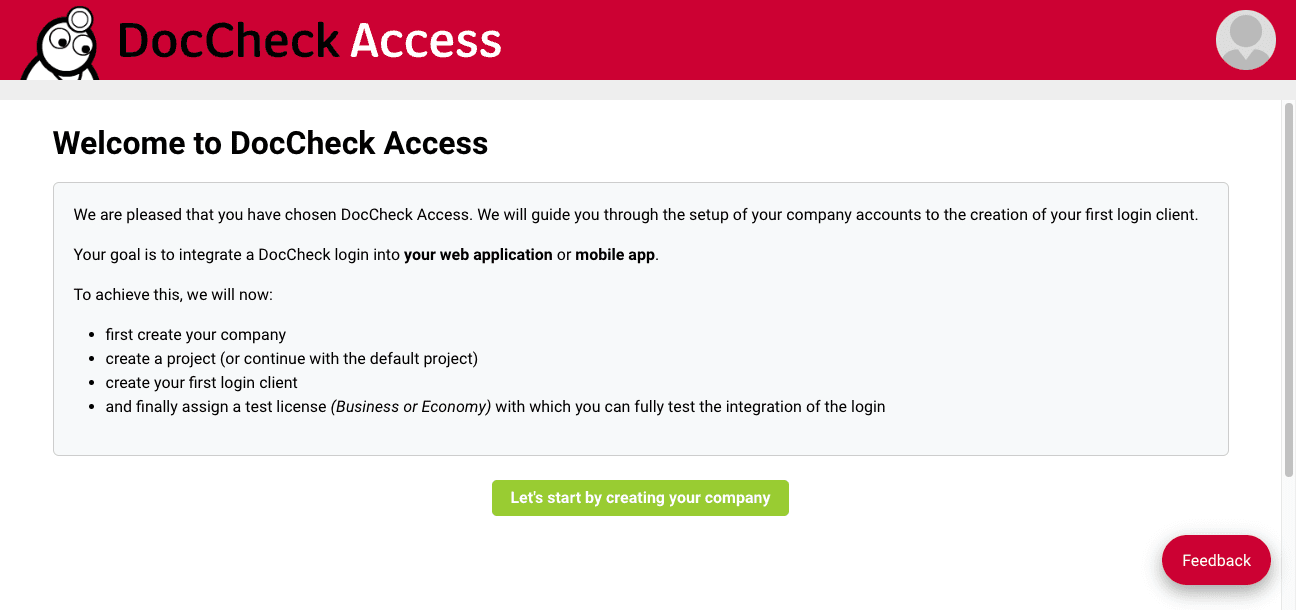
- A dialog opens where you can enter your company data.
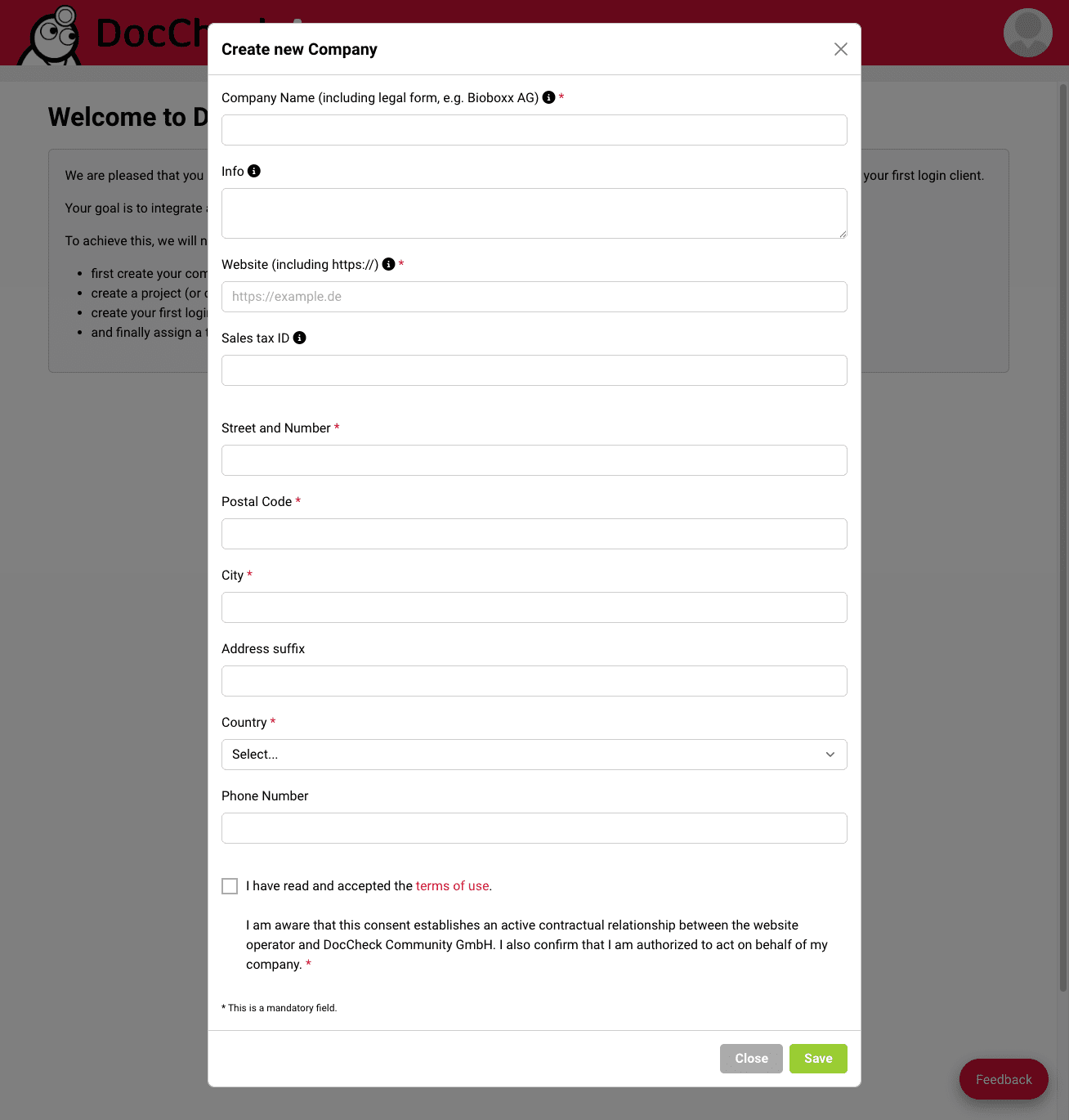
Enter your company information and fill out the following fields (required fields are marked with *):
- Company Name (including legal form, e.g., Bioboxx AG)*
- Info: a short description of your company
- Website*
- Sales tax ID
- Street and Number*
- Postal Code*
- City*
- Country (select from dropdown)*
- Phone Number
Check the box to accept our terms of use.
Click "Save" to store your company details and create the company account in DocCheck Access.
Common issues when creating company accounts
The company name is already in use: Please verify whether a company account for your client or organization already exists in our system. A short email to industry@doccheck.com is sufficient. We will check this for you and provide alternative suggestions if needed.